Customer communication and chatbots
Workflows that classify questions from your website, WhatsApp or email, draft replies and pass them to your team when needed.
Let’s simplify your workflows together.
Let’s connect your repetitive business processes with AI automation, building workflows that fit your needs and keep you in control.
AI automation means handing repetitive business processes to software and using AI to interpret variable information such as text, voice or documents. For example, an incoming message is classified, the key details are extracted, a reply is drafted, and the result goes to the right person for approval.
Classic automation follows pre-written rules. AI can interpret varied wording, but it can also make mistakes. That’s why we combine the two and leave important decisions to a person.
The best places to start are tasks that repeat every day and take up time.
Workflows that classify questions from your website, WhatsApp or email, draft replies and pass them to your team when needed.
Workflows that gather requests into one record, spot missing details and send reminders to the right person.
Workflows that add form requests to your CRM, summarise the need and flag quotes that need following up.
Steps that read amounts, dates and company details from images or PDFs and present them for your review.
Workflows that gather data from different sources, prepare regular reports and summarise what stands out.
Business process automation that moves meeting notes, task assignments and approvals into shared channels.
Not every repetitive task needs AI. Rule-based work can be handled by classic automation, while AI can help with steps like classifying text, summarising or drafting. First we identify the time-consuming task, the data source and the expected output.
Routing form requests to the right person, organising incoming information and drafting content ready for approval are typical starting points. After checking your tools’ integration options and data access, we can start with a small, well-defined workflow.
Let’s fit technology into the way you already work.
We map repetitive steps, decision points and sources of error, and separate tasks suited to automation from those that need human judgement.
We review the integrations supported by your forms, email and record systems, and plan data transfer and access around them.
We design controlled steps for classifying information, summarising and drafting content, then test the output with sample data and refine it.
We add approval points before anything is sent out or important records change, and plan how errors are spotted and processes stopped.
Assistants your team or customers can trigger by message — workflows that understand text and voice commands.
We bring scattered information into one database and generate periodic summaries and Excel reports automatically.
How we work together
Start with a small workflow, then grow based on real needs.
We discuss inputs, outputs, access and approval requirements, and define how we’ll measure success and the limits of the first pilot.
We build the workflow with sample data and test different cases, checking what happens with missing data, wrong output or connection failures.
We share usage steps and responsibilities, and separately agree on monitoring, maintenance, usage fees and the scope of future changes.
Example scenario: an incoming project request becomes a reply draft that goes through human approval. This is a demonstration, not a live integration.
Every automation has four layers: the channel a request arrives through, the workflow that runs it, the AI that interprets it and the place the data is stored. For each layer we choose the tool that fits your work and connect it to your existing software.
Instead of teaching a new app, we use the channels your team and customers already use. A WhatsApp message, a web form or an incoming email can trigger the workflow.
I design the sequence, conditions and data transfer on a workflow platform. n8n is my first choice because it’s flexible and can run on your own server; for simpler flows, Make or Zapier can be enough.
We choose the right model to classify or summarise text, draft replies or extract details from receipts and invoices. Output is tested with sample data, and you keep the final say on important steps.
Collected data is kept somewhere structured so nothing gets lost: a Google Sheet for small jobs, a database as things grow. Reports and Excel exports are generated from there.
Calendar, email, files, CRM or accounting — any app with an API or ready-made integration can be connected. We check integration options and your subscriptions together before we start.
Classifies questions arriving on WhatsApp and drafts a multilingual reply that’s sent once reception approves it.
Reads the amount, date and vendor from a photographed receipt or invoice and saves them to a spreadsheet.
Requests from your web form are logged in the CRM, summarised and sent to you with a draft reply.
Sales or booking data is compiled every Monday and lands in your inbox with a short summary.
A recording is transcribed, and decisions and to-dos are extracted and posted to your team channel.
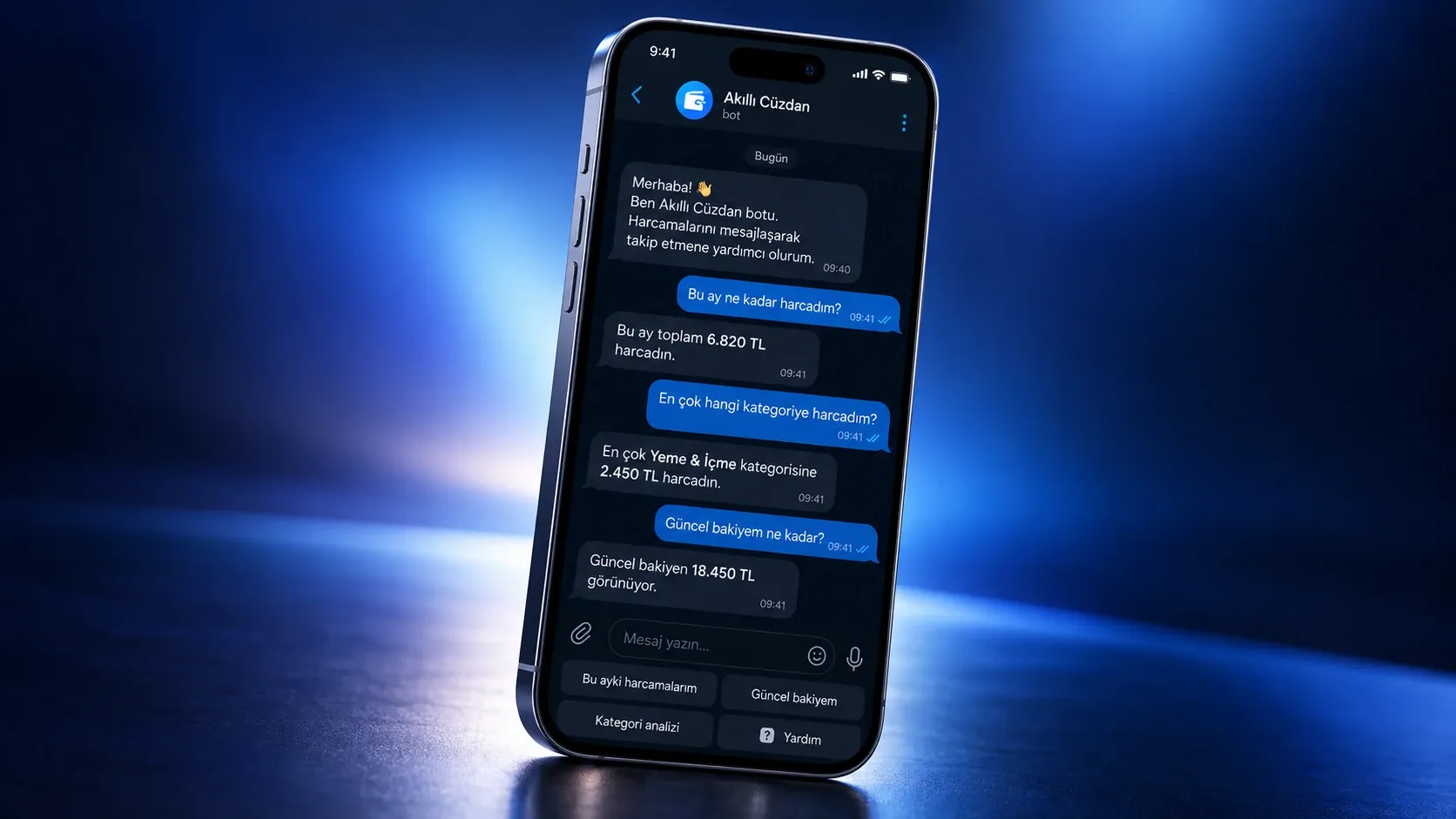
A personal finance assistant that logs income and expenses from text and voice messages and produces Excel reports.
Tool names are examples; usage costs, data permissions and maintenance responsibilities are agreed together before setup.
Common questions before starting an AI automation project.
A chatbot is an interface that talks with the user. Automation is the process running behind the scenes: it moves information between systems, creates records and starts tasks. A chatbot can be the entry point to an automation workflow.
Pricing depends on the number of apps to connect, the complexity of the workflow, the volume and the maintenance scope. Setup and the usage fees of tools and AI services are considered separately. I prepare a quote based on the scope once we’ve discussed the process.
It depends on the scope, the apps involved and whether access is ready. We start with a single task and expand based on test results. The timeline is confirmed after the process analysis.
It wouldn’t be right to quote a general payback period, because results depend on the volume and scope of the work. Before starting we measure the current state: time spent, number of transactions and errors. After setup we compare the same measures and factor in usage costs.
No. An AI agent is a system that can decide its own next step towards a goal. For most tasks with clear steps, a controlled workflow is more predictable and easier to supervise. I recommend an agent only where the work genuinely needs that flexibility.
It depends on the app’s API, webhook or integration support and your subscription. We check access before starting and look at alternatives for steps that don’t fit.
No. It can produce incomplete or incorrect results, so we plan testing with suitable examples, data validation and human approval on important steps. Full automation is decided based on the impact of the task and test results.
That depends on the chosen tools and workflow. Before setup we agree which data goes to which service, access permissions and storage options, aiming to minimise unnecessary data sharing.
There may be subscription or usage fees depending on the automation tool, AI service and volume. We consider these separately from development costs and plan around estimated usage.
We define together what day-to-day use looks like, and the usage notes and handover are prepared accordingly. New integrations or workflow changes may require technical work.
Have an idea?
Tell me briefly; we’ll define scope, timeline and budget together.